Engage Studio will determine how many dedicated IPs you require based on your sending patterns, create them for you, and then manage how they scale based on your sending requirements. Your new sender IP addresses automatically warms up your dedicated IP addresses, part of that automatic process is working interactively with the shared IP pool.
Limitation:
- Sending IP addresses are automatically allocated based on your sending volumes. Thus, IP addresses can not be fixed.
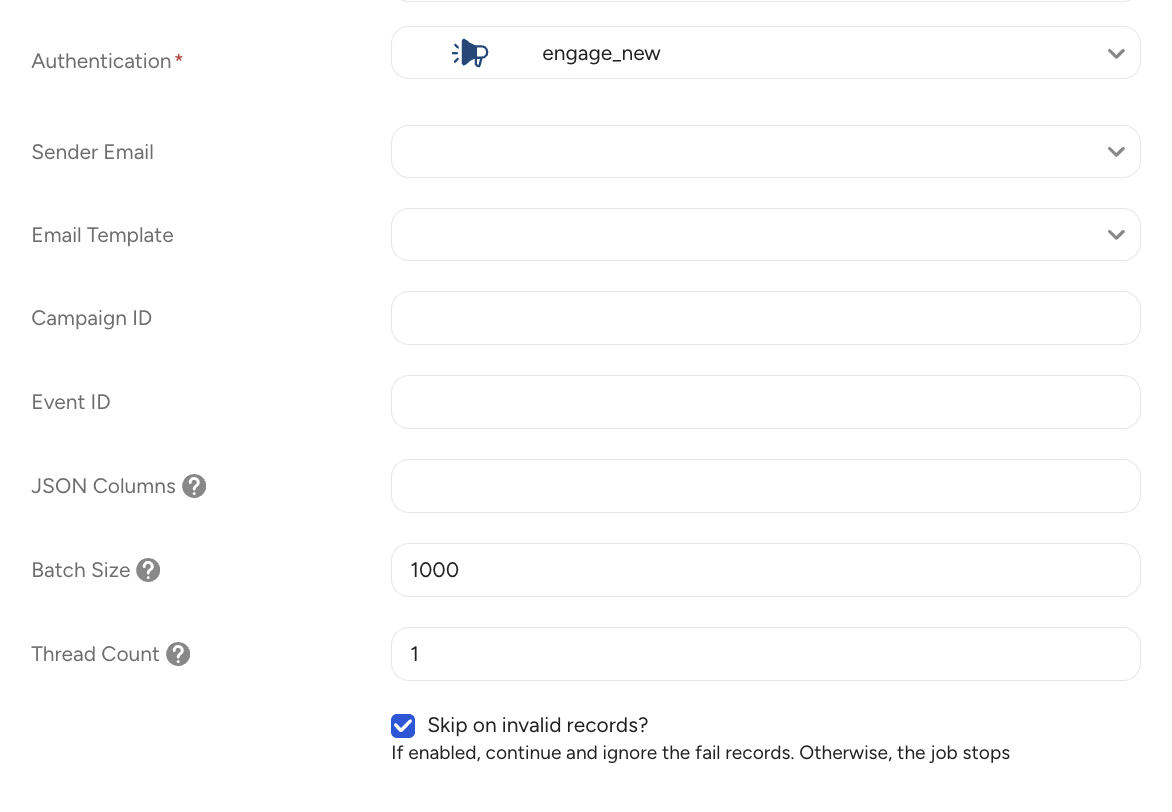
You can control throttling manually by configuring the batch size and number of threads in the Activation settings. The expected performance is:
Batch size = 1000 / Thread Count = 1 → ~100,000 records per hour
Batch size = 1000 / Thread Count = 10 → ~1.5M–2M records per hour
The email content editor powered by the Beefree SDK ensures wide email client compatibility. Refer to this portal,
Engage Studio allows senders to send both an HTML and plain-text version of their email at the same time. This is done using a format called Multi-Part MIME. When a multi-part MIME email is created in Engage Studio, they will be sent out together as one message. In Plain Text Editor, you can use Liquid syntax as same as a content editor.


A preheader is the short text that appears next to the subject line in the recipient’s inbox before opening the email, and it helps improve open rates. If Engage Studio does not provide a dedicated preheader field, you can add one by inserting an HTML Block at the very top of your email body.
Here’s how:
In the campaign editor, place an HTML Block at the very beginning of the email content.
Insert the following code:
<!-- Preheader -->
<div class="preheader" style="font-size:1px;line-height:1px;display:none;color:#fff;max-height:0;max-width:0;opacity:0;overflow:hidden">
Enter your preheader text here.
</div>
This ensures the text won’t be visible in the email body but will display alongside the subject line in most email clients. The recommended length is 35–90 characters , and you should always run test sends to confirm proper rendering across major clients like Gmail and Outlook.
This mechanism prevents duplicate emails with the same content from being sent within 24 hours. For example, even if you accidentally launch the same campaign twice, the system automatically detects it and blocks the second send.
The system determines whether two emails are identical based on the following information:
- Recipient email address (case-insensitive, e.g., Test@Example.com → test@example.com)
- Email subject (title)
- Email body content (before Liquid template evaluation)
If all of the above are the same, the second send attempt within 24 hours will be skipped. This helps prevent accidental duplicate sends, protects your sender reputation, and ensures a better experience for recipients.
Engage Studio automatically blocks email delivery to invalid or reserved test domains such as:
- example.com / example.org / example.net (including subdomains)
- localhost
These domains are commonly used for testing or placeholder purposes and are not routable on the public internet. Sending emails to these domains would result in unnecessary hard bounces and negatively impact sender reputation.
Depending on the API endpoint or send type, the behavior is:
| Scenario | Behavior |
|---|---|
| Test mode (/api/email_transactions/test) | Emails to invalid domains are silently skipped |
| Bulk send (bulk_create_array) | Invalid recipients are skipped; only valid recipients are sent |
No customer action is required unless your test data includes these domains. To continue sending successfully, please replace test domains or use valid internal domains for testing.